
By Small Giant · Published
Your website can generate enquiries all day and still have a bad sales process.
The form works.
The notification email arrives.
Someone reads it.
Then what?
That question matters more than most businesses expect. A website form is usually treated as the end of a digital journey. From the sales team’s point of view, it is actually the beginning.
This is why businesses eventually need to connect website forms to CRM rather than letting every enquiry start life as another email.
The difference sounds small. It is not.
One approach creates a message.
The other creates an opportunity that can be owned, followed up and tracked.
Why Website Forms Become a Sales Problem
A basic website form usually does one thing well: collect information.
Someone fills in their name, company, phone number, email and message. The website sends that information somewhere.
Usually, that somewhere is an inbox.
For a business receiving a few enquiries per month, this may be enough.
But as enquiry volume increases, the process becomes fragile.
One person opens the email.
Another person forwards it.
Someone creates a contact manually.
Someone else adds it to Excel.
A salesperson replies.
A follow-up date may or may not be added somewhere.
The lead exists, but the process around it depends on people remembering every step.
This is the point where it becomes useful to connect website forms to CRM.
The CRM should not simply store the submission. It should turn it into sales work.
What Actually Happens When You Connect Website Forms to CRM
The useful version of this setup is simple.
A visitor submits a website form.
The system checks whether the contact already exists.
If not, it creates the contact.
Then it creates a lead, request or opportunity.
That opportunity receives an owner.
The owner receives a notification.
A first action or follow-up can then be created.
Now the enquiry is no longer sitting in an inbox waiting for somebody to decide what to do.
That is the real reason to connect website forms to CRM.
The form submission becomes part of the sales process immediately.
An Email Notification Is Not Lead Management
This distinction is important.
Many businesses say their website is connected to sales because form submissions are emailed to the sales department.
Technically, yes.
Operationally, not really.
Email tells somebody that something happened.
It does not necessarily tell you:
- Who owns the lead
- Whether anyone replied
- When the next follow-up is due
- What stage the opportunity is in
- Whether the customer already contacted you before
- Whether the opportunity eventually became Won or Lost
When you connect website forms to CRM, these questions can become part of the record itself.
That is a much stronger process than relying on a shared inbox.
The Hidden Cost of Manual Lead Entry
Manual entry looks harmless because each individual action takes very little time.
Copy the name.
Copy the number.
Copy the email.
Create a lead.
Assign it.
Paste the message.
Done.
The problem is repetition.
If a company receives 100 website enquiries per month and somebody spends even three minutes processing each one, that is five hours of administrative work before sales has actually started.
The bigger cost is mistakes.
A phone number gets copied incorrectly.
A lead is entered twice.
The original message is shortened.
The wrong salesperson gets assigned.
An enquiry waits until the next morning because nobody saw the email.
When you connect website forms to CRM, much of this repetitive handling can disappear.
The information is already structured.
There is no good reason to manually retype it into another structured system.
Connect Website Forms to CRM Before You Automate Everything Else
Businesses often jump straight to complicated automation.
Automatic emails.
Lead scoring.
Workflows.
Sequences.
AI summaries.
Routing logic.
All of that can be useful later.
But the first automation should be much simpler:
Make sure every real enquiry becomes a trackable sales opportunity.
That is the basic reason to connect website forms to CRM.
Before trying to automate the entire sales process, make sure the lead reliably enters the process.
Otherwise, you are building clever automation around an unreliable starting point.
The Five Things That Should Happen After a Form Submission
A strong website-to-CRM workflow does not need to be complicated.
Five things matter most.
1. Capture the Contact Correctly
The form should collect the information sales genuinely needs.
Usually:
- First name
- Last name where relevant
- Phone number
- Company
- Enquiry details
- Source
Do not turn the form into a questionnaire because the CRM has 40 available fields.
The point of connect website forms to CRM workflows is not to collect everything.
It is to capture enough information to start a useful conversation.
2. Check Whether the Person Already Exists
Returning customers and repeat enquiries are common.
If every form submission creates a completely new contact, the CRM quickly fills with duplicates.
A proper setup should attempt to match the submission with an existing contact using reliable identifiers such as email address or phone number.
This is one reason businesses connect website forms to CRM instead of copying leads manually.
The customer history stays together.
The new enquiry becomes another opportunity connected to the same person rather than another disconnected record.
3. Create a Trackable Opportunity
A contact and an opportunity are not the same thing.
The person may contact you several times over several years.
Each enquiry may represent a different potential sale.
When you connect website forms to CRM, the useful model is:
Person = Contact
Current enquiry = Opportunity
That separation gives the sales team much better history.
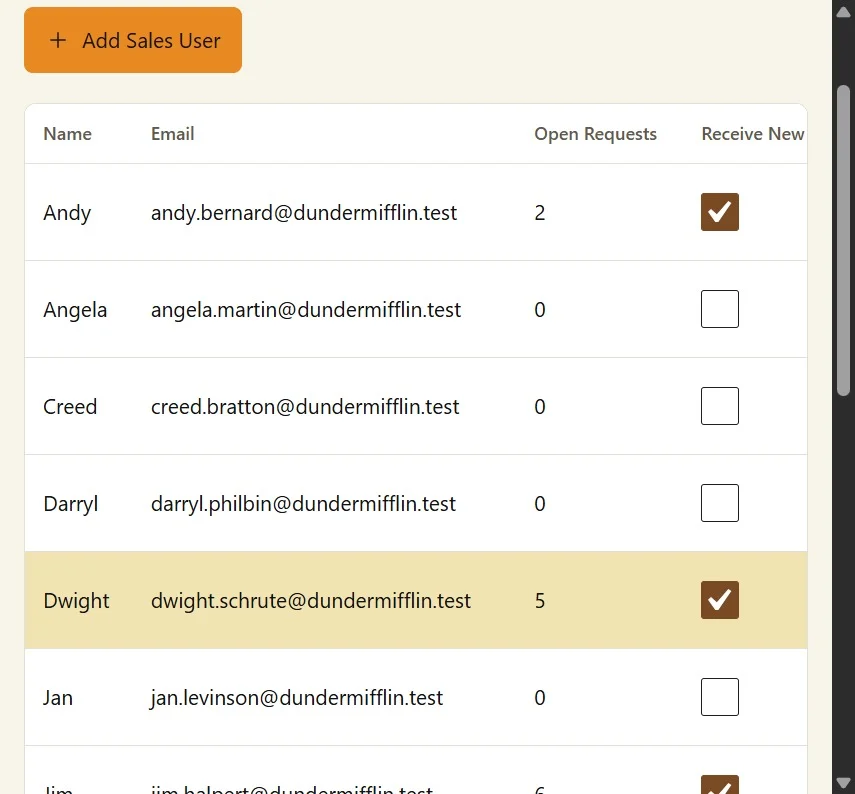
4. Assign an Owner
An unassigned lead is everybody’s responsibility.
Which usually means it is nobody’s responsibility.
When businesses connect website forms to CRM, ownership should be part of the process.
Assignment can be based on:
- Salesperson availability
- Product or service
- Territory
- Industry
- Existing customer ownership
- Round-robin distribution
The exact method matters less than the result.
Someone should clearly own the enquiry.
5. Create the Next Action
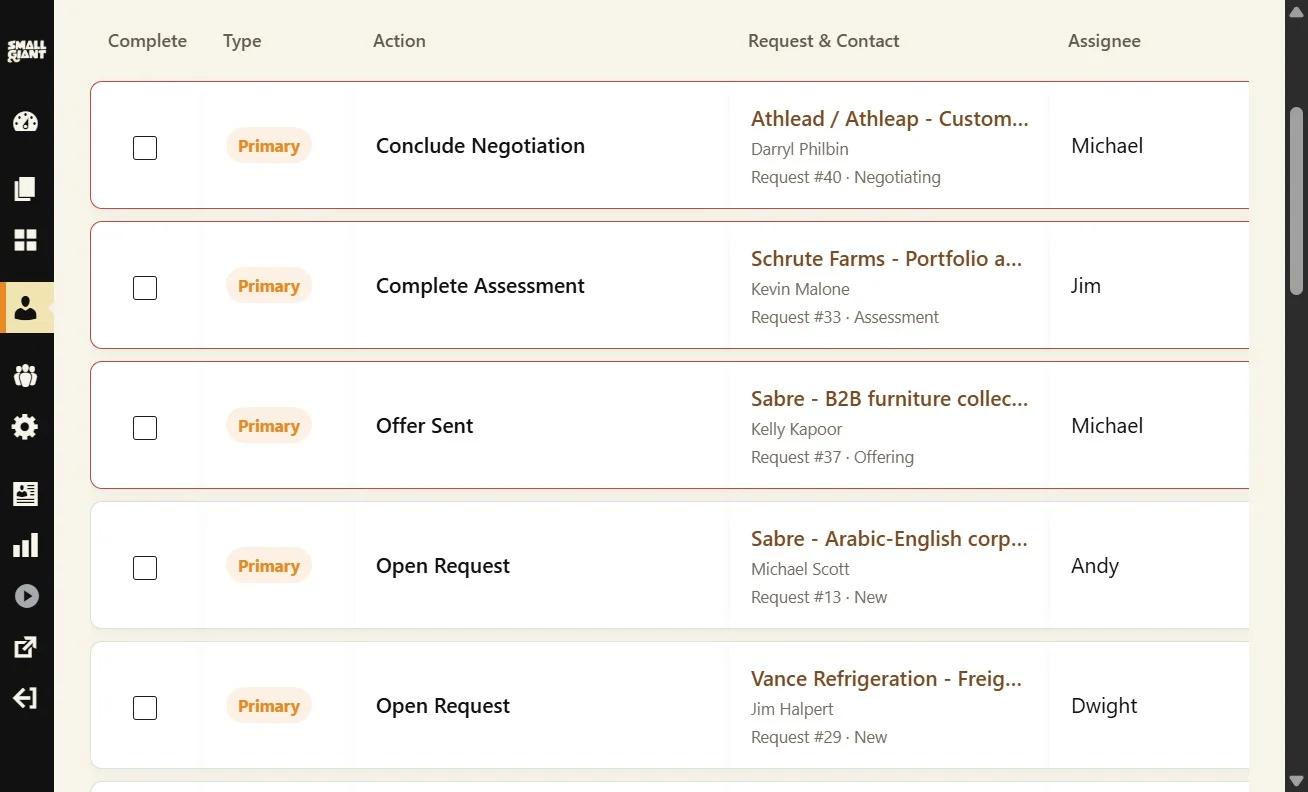
This is where a website enquiry starts becoming an actual sales process.
What should happen next?
Call the customer?
Review the enquiry?
Send information?
Schedule a meeting?
Prepare a quotation?
When you connect website forms to CRM, the first action should be obvious.
A lead without a next action is still relying on memory.
Connect Website Forms to CRM Without Making the Form Worse
There is a common mistake here.
Businesses decide to improve CRM data, so they add more fields to the website form.
Industry.
Company size.
Budget.
Location.
Expected purchasing date.
Department.
Number of employees.
How did you hear about us?
Suddenly the simple contact form looks like a bank application.
That is the wrong way to connect website forms to CRM.
The website form exists for the visitor.
The CRM exists for the business.
Do not make the visitor complete the CRM database for you.
Collect what is genuinely necessary upfront.
Let sales discover the rest during qualification.
What About Different Types of Website Forms?
Not every website form represents the same thing.
A business website may include:
- Contact forms
- Request for quotation forms
- Booking forms
- Event registrations
- Admissions enquiries
- Job applications
- Campaign landing pages
- Product enquiries
You can still connect website forms to CRM, but the source and resulting workflow should reflect what the visitor actually submitted.
A quotation request probably belongs in the sales pipeline immediately.
A basic contact message may require assessment first.
A booking request may need an operational action.
The mistake is treating every form as an identical generic lead.
Good integration preserves context.
Your Website Should Tell the CRM Where the Lead Came From
Source data becomes increasingly useful as the business grows.
Did the enquiry come from:
- Contact page
- Service page
- Product page
- Paid campaign
- Event page
- Landing page
- Referral campaign
When you connect website forms to CRM, the CRM should ideally receive enough context to identify the source.
This helps sales understand the enquiry.
It also helps management understand which parts of the website are producing meaningful opportunities rather than just traffic.
That is where website analytics and CRM data start answering different questions.
Analytics tells you what visitors did.
CRM tells you what happened commercially afterwards.
Connect Website Forms to CRM for Faster Response
Speed matters.
A potential customer may contact several companies at once.
If one company receives the enquiry instantly but takes a day to assign it internally, the website itself was not the bottleneck.
The internal process was.
When you connect website forms to CRM, the opportunity can reach the correct salesperson immediately.
The salesperson does not need to wait for somebody else to forward the email, create the contact or update a spreadsheet.
The enquiry arrives ready to work.
That is a much better starting point for fast response.
What Happens When Nobody Is Available?
A good system also needs to handle imperfect situations.
What if every salesperson is unavailable?
What if the normal owner is inactive?
What if a form arrives outside working hours?
What if assignment fails?
The workflow should still give the enquiry somewhere clear to go.
This is another reason to connect website forms to CRM using defined business rules rather than informal email forwarding.
Good lead handling should survive a busy day.
Keep Attachments With the Opportunity
Some forms collect more than text.
A potential client may attach:
- Briefs
- Specifications
- Drawings
- Requests for quotation
- Documents
- Images
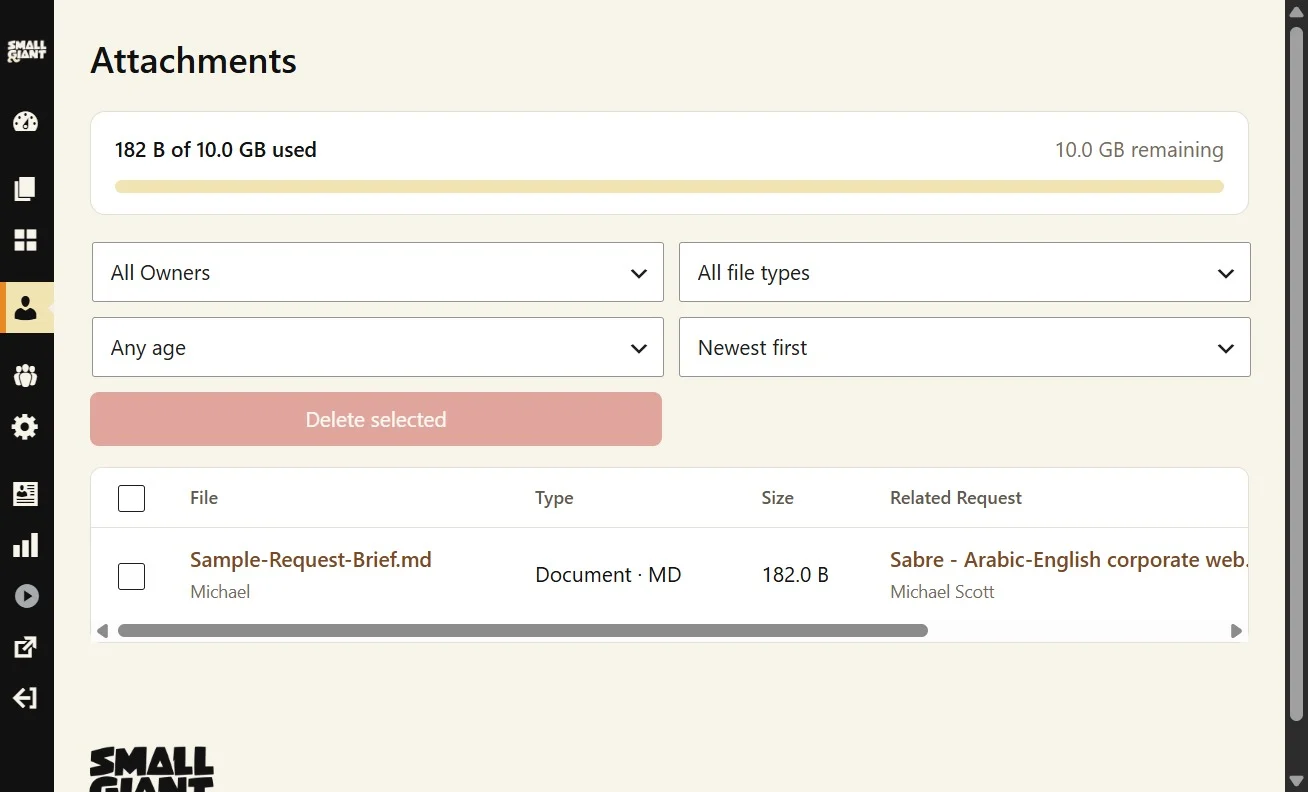
If the submission creates an opportunity but the attached files remain buried in an inbox, the process is still fragmented.
A strong connect website forms to CRM workflow should preserve relevant attachments with the opportunity where possible.
The salesperson should not need to search another system just to understand what the customer requested.
Do Not Forget Failed Submissions
Integration creates another responsibility.
What happens if the CRM is temporarily unavailable?
What happens if the submission contains invalid data?
What happens if the integration fails halfway through?
The customer should never see a success message if the business has actually lost the enquiry.
When you connect website forms to CRM, failure handling matters just as much as the successful workflow.
The exact technical implementation can vary, but the business principle is simple:
Do not silently lose leads.
How to Know Whether Your Current Setup Is Good Enough
Ask these questions about your website today:
- Where does a new form submission go?
- Who becomes responsible for it?
- How quickly does that person know?
- Is a contact created automatically?
- Is an opportunity created automatically?
- Can the next action be tracked?
- Can management see whether the enquiry was followed up?
- Can you identify which website form generated the opportunity?
- Can repeat enquiries be connected to the same customer?
- Can you see whether website enquiries eventually became Won or Lost?
If several answers are unclear, it may be time to connect website forms to CRM.
Where Small Giant Fits
Small Giant is designed around this exact handover between website and sales.
When Small Giant Website and Customer Desk are used together, supported website forms can create or match a Contact, create a Request, assign it and generate the first required Action.
That means the enquiry does not need to stop at an email notification.
It becomes work.
The Request has an owner.
The pipeline has a stage.
The Action has a deadline.
The team can continue the process from there.
This is what it should mean to connect website forms to CRM.
Not simply transferring data from one database to another.
Connecting the moment somebody says “I’m interested” to the process responsible for doing something about it.
Final Thought
Your website’s job does not end when somebody presses Submit.
That is the moment the sales process starts.
If the next step depends on somebody noticing an email, copying data into a spreadsheet and remembering to follow up later, the business has created unnecessary gaps between interest and action.
When you connect website forms to CRM, those gaps can become much smaller.
The website captures the enquiry.
The CRM creates the opportunity.
A person owns it.
An action comes next.
That is not complicated automation.
It is simply a cleaner way to handle a potential customer.