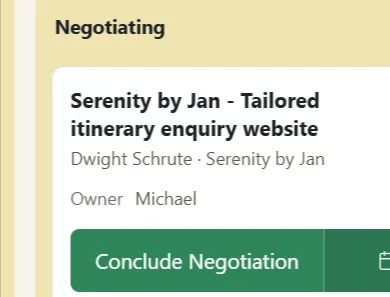
A clear path from first contact to final outcome, without turning sales into admin work.
Primary Action Complete Assessment was submitted for Dunder Mifflin | Michael Scott (Request #3312) by Jim Halpert.
Built-in Follow-up Discipline
Every open stage creates a required Primary Action with a deadline, calculated around the configured working days.
Actions are clearly marked Safe, Due Soon or Overdue, with overdue work surfaced and alerts sent automatically.
Extra Secondary Actions can be added for calls, meetings, email, WhatsApp, offer preparation or custom follow-ups, with multiple assignees when needed — all without changing the Request’s main stage progression.
Staples and Office Depot for Gerry Smith has been assigned to you (Request #14).
Automatic Lead Ownership
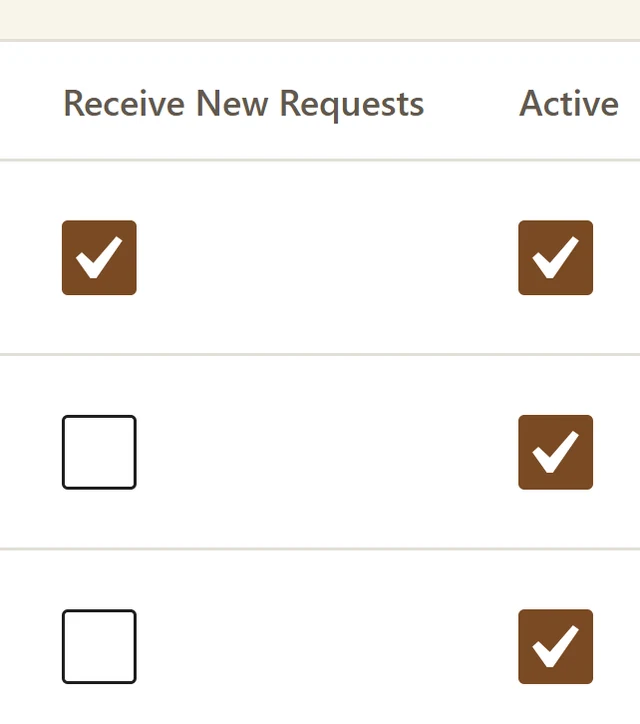
Requests are automatically distributed across active Sales users using round-robin assignment, so new opportunities don’t sit waiting for someone to claim them.
If nobody is eligible, the Request falls back to the Desk Admin and is flagged for reassignment.
Ownership can be changed later, and assignment or reassignment automatically notifies the new owner.
Staples and Office Depot for Gerry Smith has been lost (Request #14)
Controlled Sales Progression
Requests don’t move freely between stages.
Every open stage has a required Primary Action, and only defined outcomes can move the Request forward.
Opening, assessment, offering and negotiation each follow their own logic.
Sales users can’t casually drag opportunities around or skip required steps.
The workflow stays consistent even if the display labels for the stages are renamed.
Sabre – Showroom website and trade enquiry portal was won with a Deal Value of 1,000,000.00 EGP
Mandatory Closure Discipline
Won and Lost are real closing states, not labels someone can apply without context.
Marking a Request Won requires a valid Deal Value.
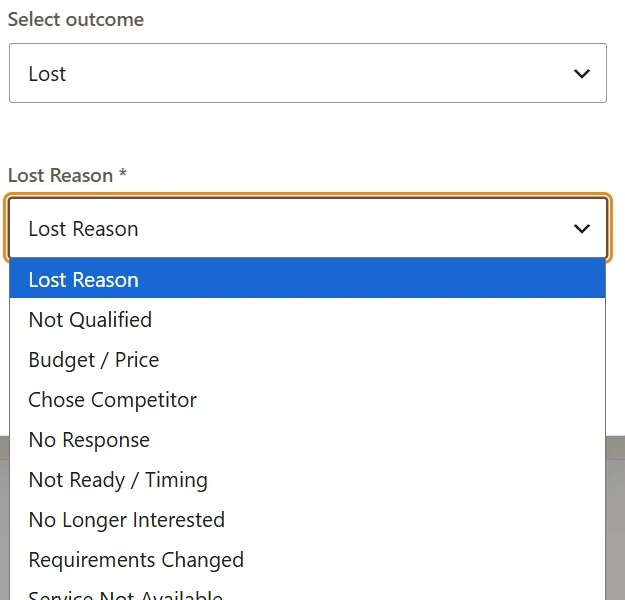
Marking it Lost requires an approved Lost Reason, with a written note when Other is selected.
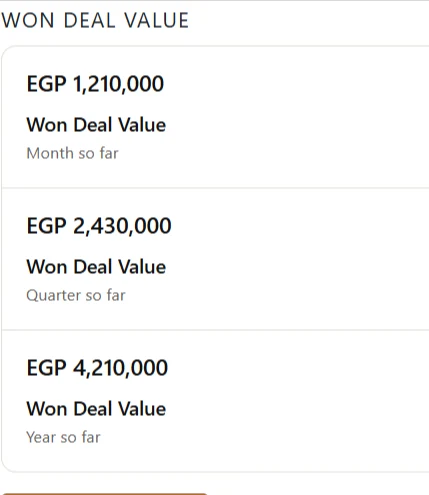
Because Won value is captured at the moment of closure, management can see actual Won Deal Value across the month, quarter and year.
Offers revisions loop
Negotiations don’t always move in a straight line.
When an offer needs changing, the Request can move from Negotiating back to Offering through the defined Revise Offer outcome.
A fresh Offering-stage Primary Action is created automatically, keeping the opportunity open and structured without duplicating or artificially closing it.
Yes. Small Giant CRM® supports WhatsApp integration, allowing your team to manage customer conversations and follow-ups alongside their CRM activity.
WhatsApp communication can be connected to Contacts and Requests, helping your sales team keep customer conversations and sales activity in one place.
Can I import my existing contacts into Small Giant CRM®?
Yes. Bring your existing contacts into Small Giant CRM® using a CSV file.
Before anything is added, the CRM checks for invalid or duplicate records and gives you a preview to review.
You can also export your complete Contacts database.
Can I use Small Giant CRM® with my existing website?
Yes. You do not need to use the Small Giant Website®.
Small Giant provides ready webhook integrations that allow forms on your existing website to send leads directly into the CRM.
Submitted leads can automatically:
Create or match a Contact
Create a new Request
Record the lead source
Assign it to a sales user
Create the required first follow-up action
Can Small Giant CRM® capture leads automatically from my website?
Yes. Website forms can automatically create or match a Contact and create a new Request in the CRM.
The Request is assigned to a sales user and its first required action is created automatically.
How are new leads assigned to my sales team?
Website Requests are distributed automatically between eligible active sales users using round-robin assignment.
If no sales user is available, the Request is assigned to the Desk Admin for reassignment.
Can I see exactly where every sales opportunity stands?
Yes. Requests are organised in a visual sales pipeline with six stages:
Unopened
Assessment
Offering
Negotiating
Won
Lost
The stage names can be customised for your business while keeping the workflow consistent.
Does the CRM tell my team what they need to do next?
Yes. Every open Request has a required Primary Action defining the next step.
Your team can also create follow-up actions such as:
Calls
WhatsApp
Emails
Meetings
Site visits
Information requests
Preparing or revising offers
Payment follow-ups
Internal reviews
Can I make sure leads aren't forgotten or followed up too late?
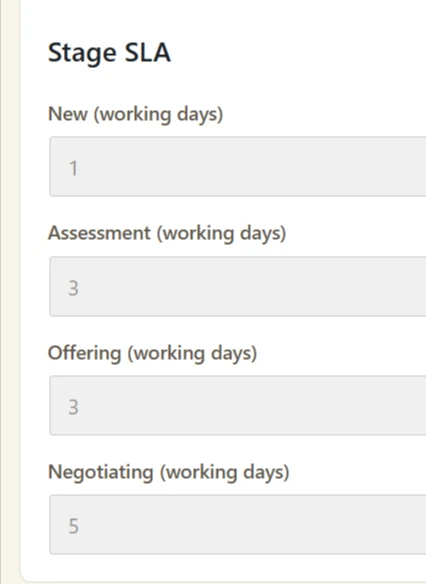
Yes. Each pipeline stage can have a defined SLA — Service Level Agreement — setting how much working time your team has to complete the required action.
Actions are marked as safe, due soon or overdue, while overdue work is highlighted on the dashboard and can trigger email alerts.
Can several team members work on the same opportunity?
Yes. Each Request has one accountable owner, while additional Actions can be assigned to one or several team members.
This allows different people to handle meetings, proposals, follow-ups or internal work without losing clear ownership.
Can managers see what the sales team is doing?
Yes. Management can track Requests, owners, pipeline stages, actions, deadlines, overdue work and deal outcomes.
The dashboard also shows key information including:
Requests created
Won deal value
Oldest overdue actions
CRM capacity and usage
Can I track the value of won business?
Yes. Every Won Request records its Deal Value.
The dashboard can show Won Deal Value for the current month, quarter and year.
Can I track why opportunities are being lost?
Yes. Lost Requests require a reason, such as:
Budget or price
Chose a competitor
No response
Timing
No longer interested
Requirements changed
Service not available
Not qualified
This helps management understand where and why opportunities are being lost.
Does it keep the full history of each opportunity?
Yes. Every Request keeps a permanent activity history covering important events such as:
Creation
Assignment and reassignment
Completed actions
Pipeline changes
Rescheduled deadlines
Won or Lost outcomes
Notes and attachments can also be stored against the Request.
Can we store proposals, documents and customer files inside the CRM?
Yes. Files including PDFs, Word documents and images can be securely attached to Requests.
Files submitted through connected website forms can also be added automatically to the corresponding Request.
Can I search and filter the pipeline?
Yes. Requests can be searched and filtered by information including:
Owner
Date range
Source
Sales users can focus on their own opportunities while authorised managers have wider visibility.
Can I control what each sales user can access?
Yes. Small Giant separates Sales Rep, Desk Admin and administrator permissions.
Sales users get access to the Contacts, Requests and Actions needed for their work without being given sensitive system or configuration access.
What happens when a salesperson leaves the company?
Their open Requests can be reassigned before their account is removed.
Historical activity continues to display their name, so your previous sales records remain understandable.